
For Sellers
Property Photo & Video Guide
Great photos and a clean walkthrough video are the single biggest thing you can do to sell faster and for more. Here's exactly how we want you to capture your home — and what to be sure to mention.
Step 1 — Prep the home
Walk through your home with fresh eyes. Anything you'd hide before friends come over, hide before the camera comes out.
- Open all blinds and curtains — natural light is your best friend.
- Turn on every light in the room, including lamps.
- Declutter countertops, tables, and floors. Less is more.
- Remove personal items: family photos, mail, medications, pet bowls.
- Make beds, fluff pillows, and straighten linens.
- Tuck away cords, chargers, and remotes.
- Hide trash cans, laundry baskets, and cleaning supplies.
- Wipe down mirrors, glass, and stainless surfaces.
- Mow the lawn, sweep walkways, and tidy the driveway.
Step 2 — Shoot in bright, natural light
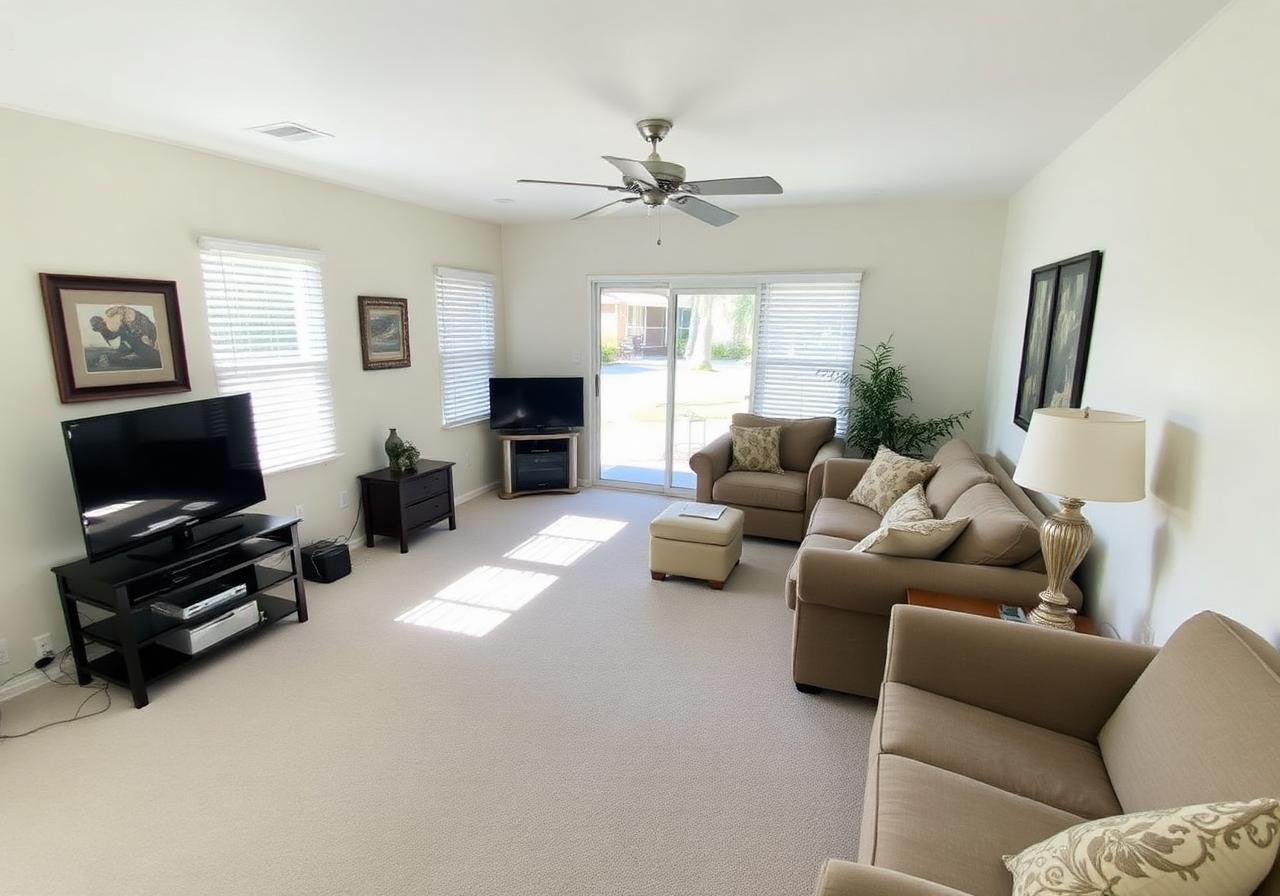
Do this
Daytime, blinds open, lights on, clutter cleared, wide corner angle.
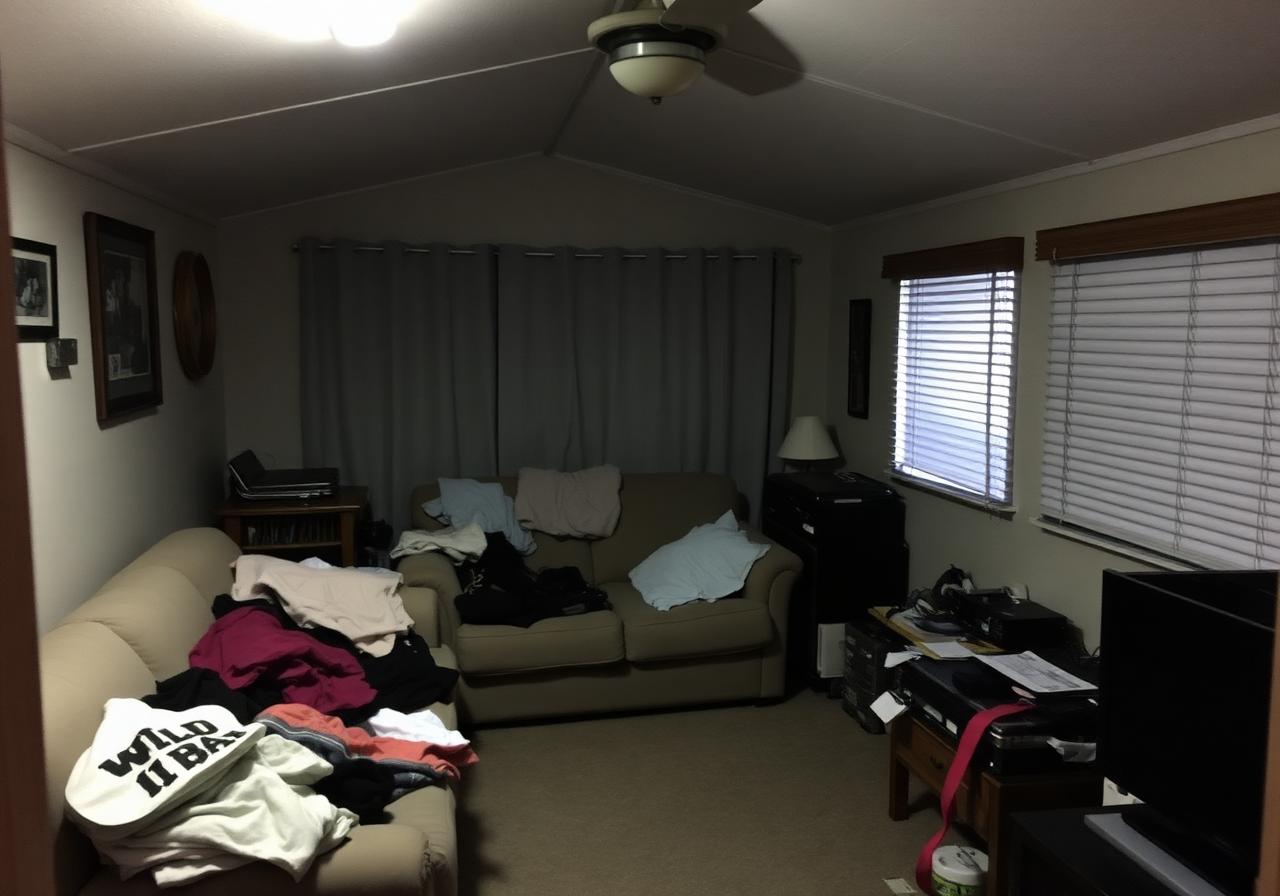
Avoid this
Dim lighting, clutter on couches, blinds closed, narrow snapshot angle.
Photo & Video Gallery — Examples
Below are side-by-side examples of what helps a home sell — and what hurts it. When you upload your own photos and videos, replace these with your real listings.
Living Room
Do this
Daytime, blinds open, lights on, clutter cleared, wide corner angle.
Avoid this
Dim lighting, clutter on couches, blinds closed, narrow snapshot angle.
Kitchen
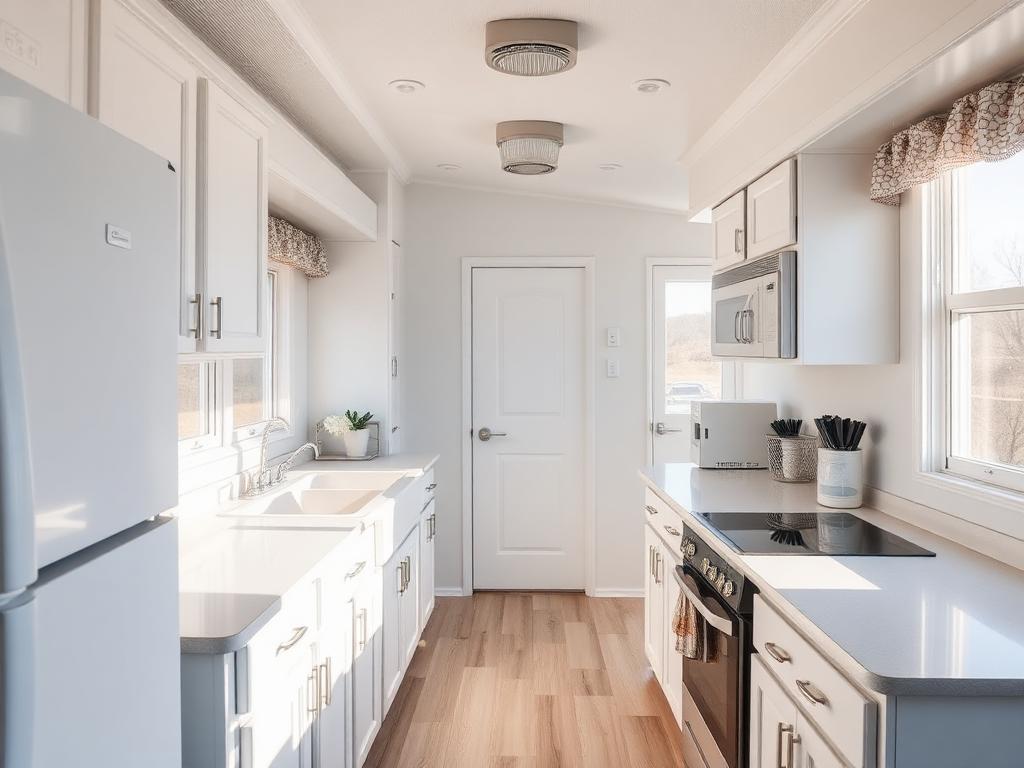
Do this
Clean counters, all lights on, appliances visible, wide angle showing full space.
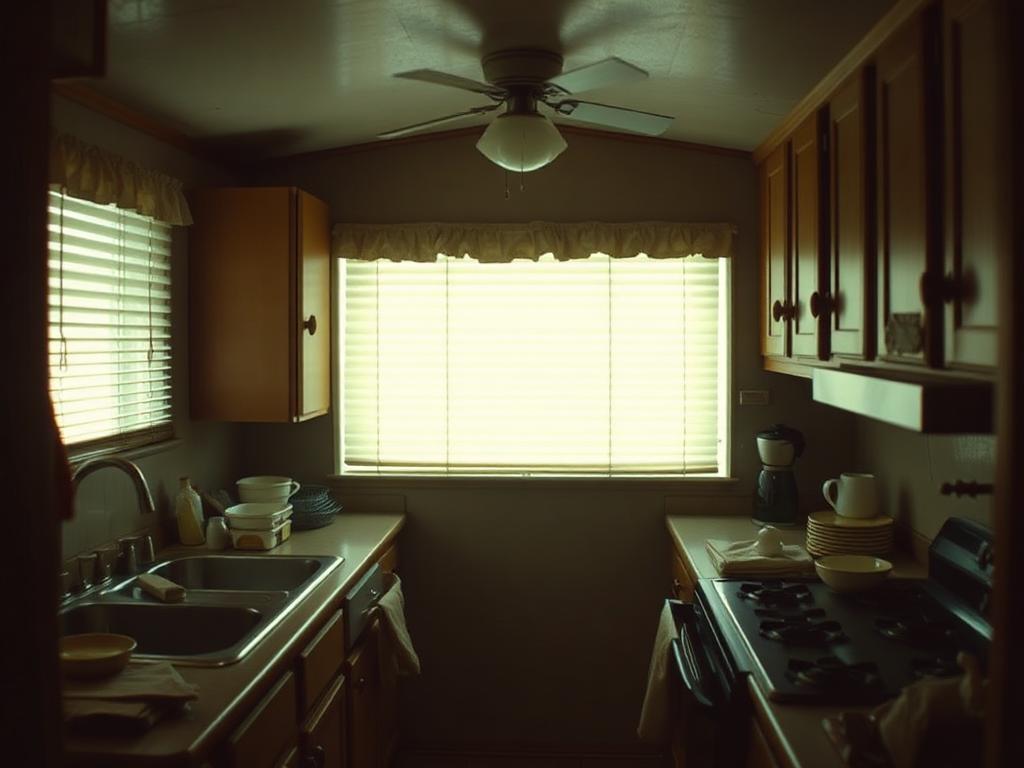
Avoid this
Cluttered counters, dirty dishes, dim lighting, narrow angle missing key features.
Bathroom
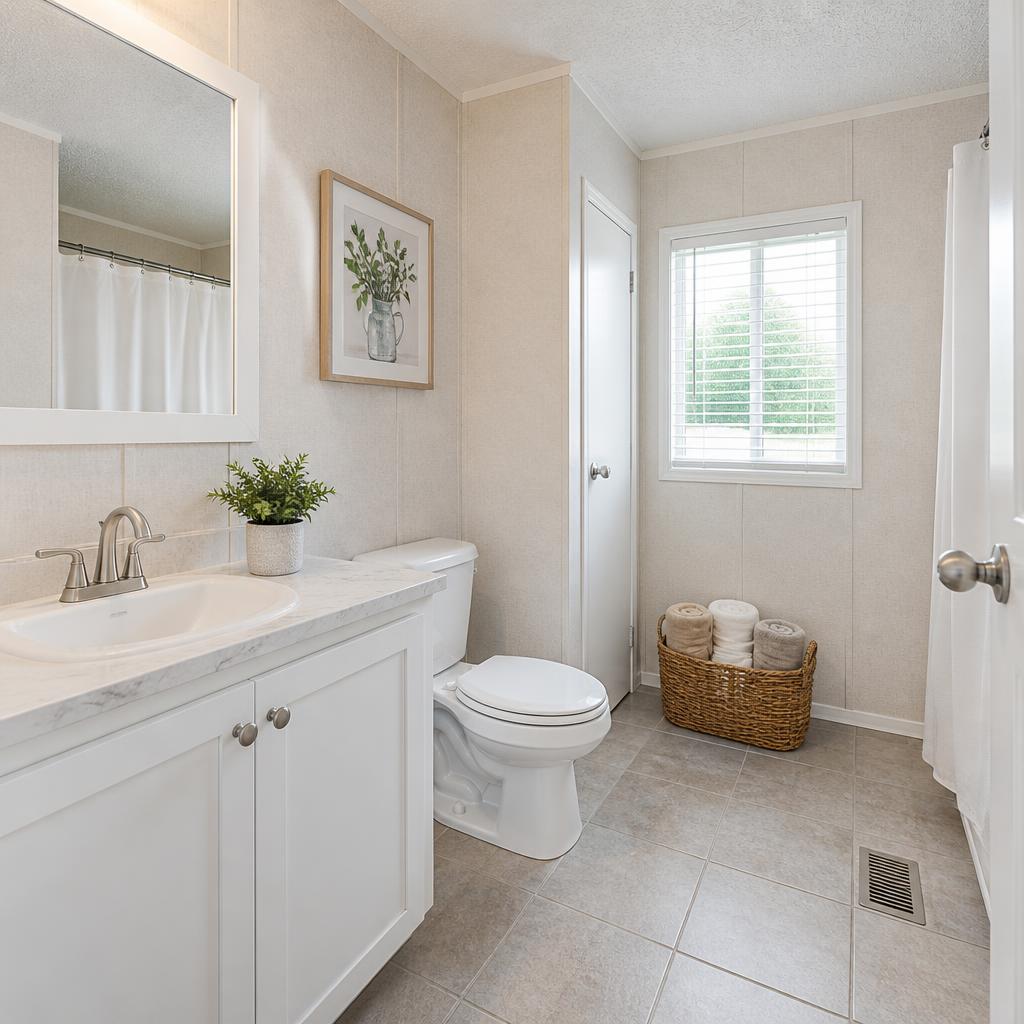
Do this
Toilet lid closed, vanity cleared, bright lighting, clean mirrors and fixtures.
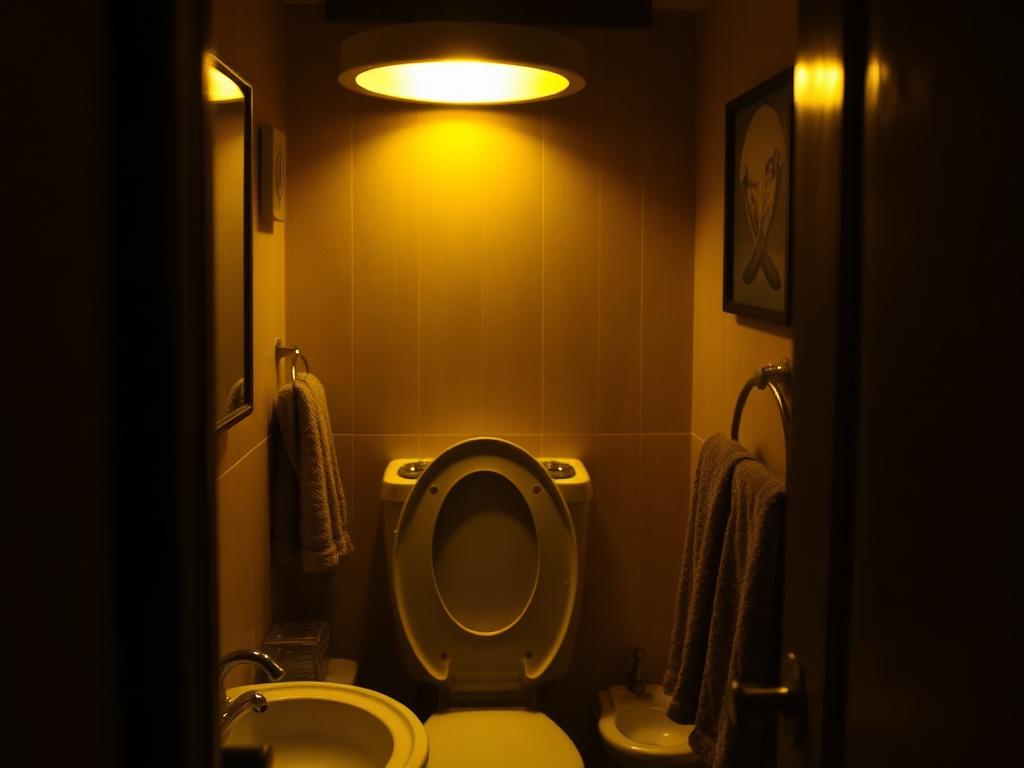
Avoid this
Toilet lid up, cluttered vanity, yellow dim lighting, towels and toiletries scattered.
Bedroom
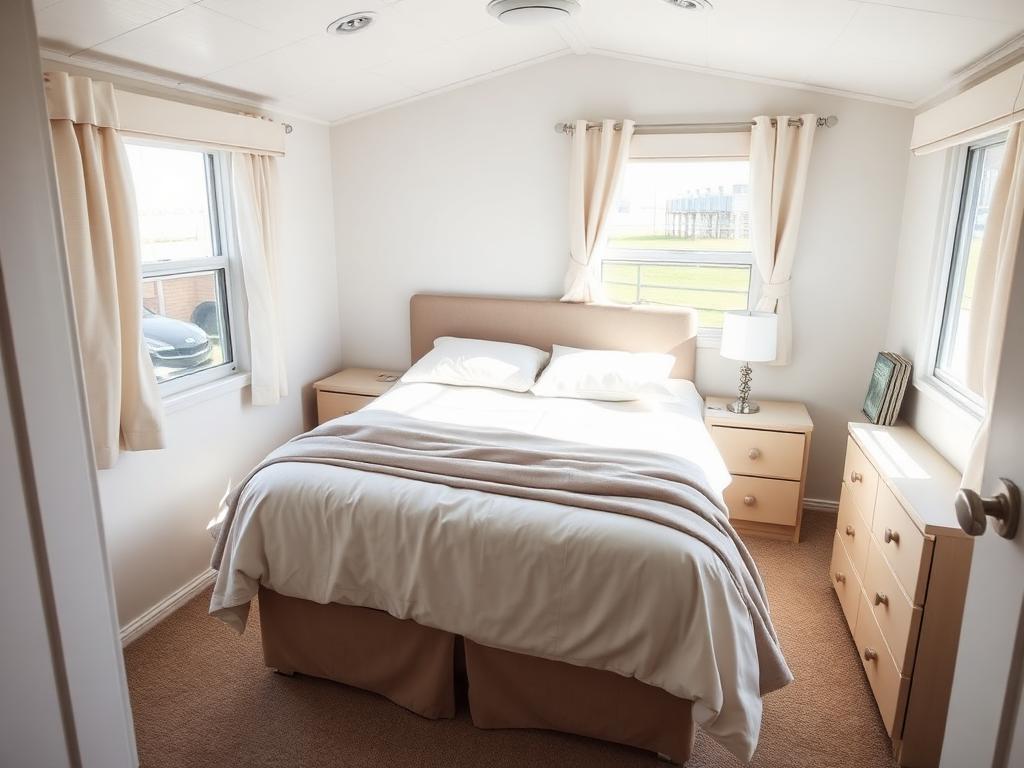
Do this
Bed made with neutral bedding, natural light, nightstands cleared, wide angle.
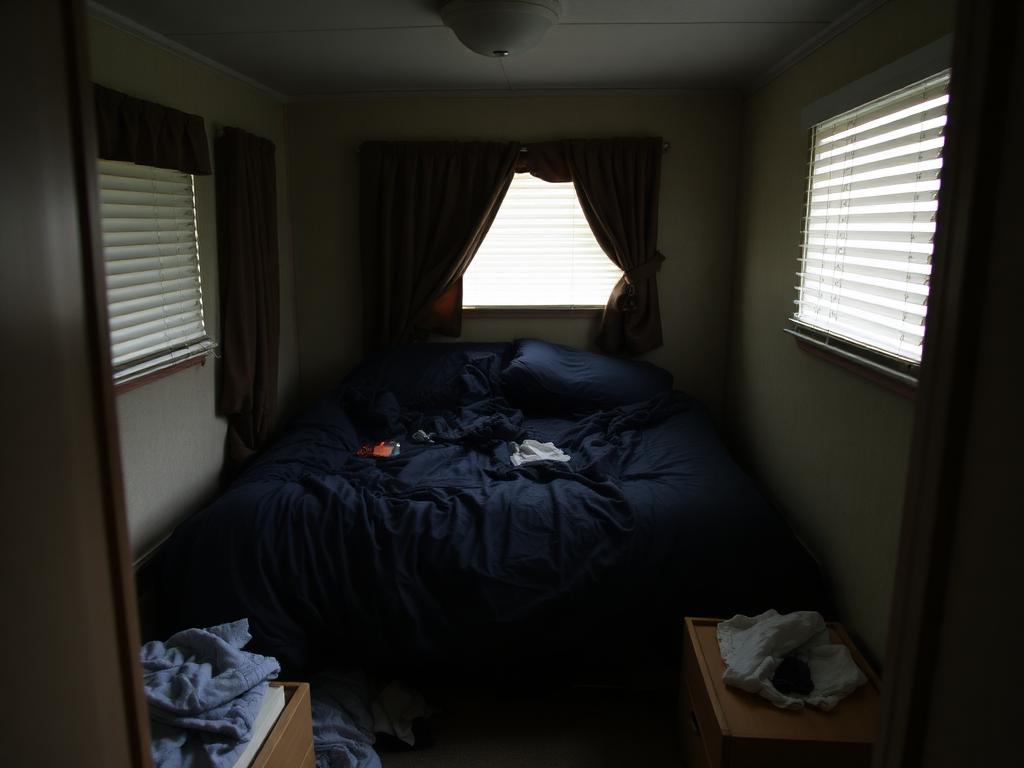
Avoid this
Unmade bed, dark bedding, closed blinds, clothes and personal items visible.
Walkthrough Video
Do this
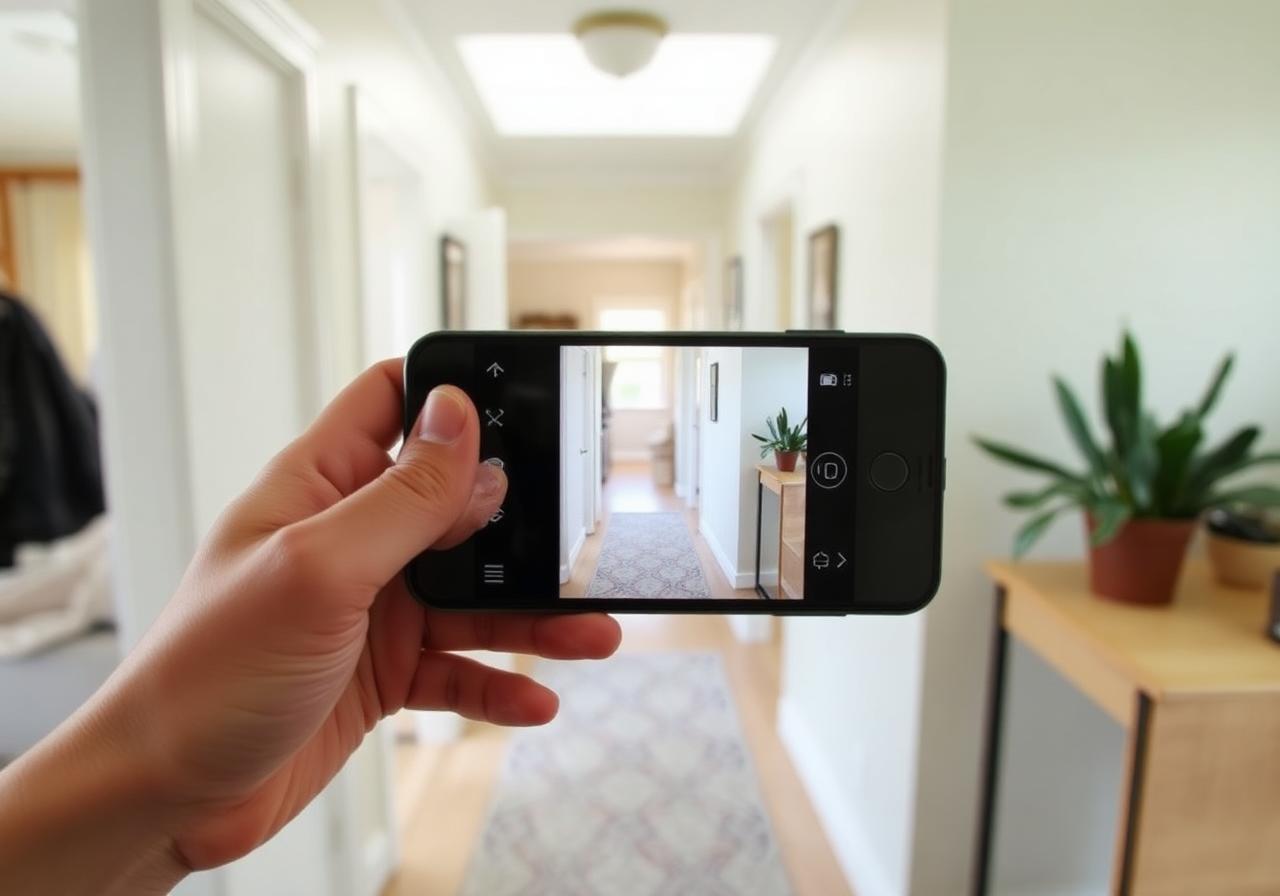
Hold phone horizontally, walk slowly, narrate room names and features, steady pan.
Video tips
- Start at the front door and walk like a buyer would.
- Keep each clip under 60 seconds.
- Do a separate exterior lap showing lot and amenities.
- Mention upgrades: roof, A/C, appliances, flooring.
Step 3 — Capture every room
Living room
Wide shot from the corner showing the most space.
Kitchen
Capture appliances, counters, and any island or breakfast bar.
Primary bedroom
Show the bed, windows, and closet entry.
All other bedrooms
One wide shot each — buyers want to count rooms.
Bathrooms
Close the toilet lid. Photograph vanity, shower, and tub.
Laundry & utility
Show washer/dryer hookups and any storage.
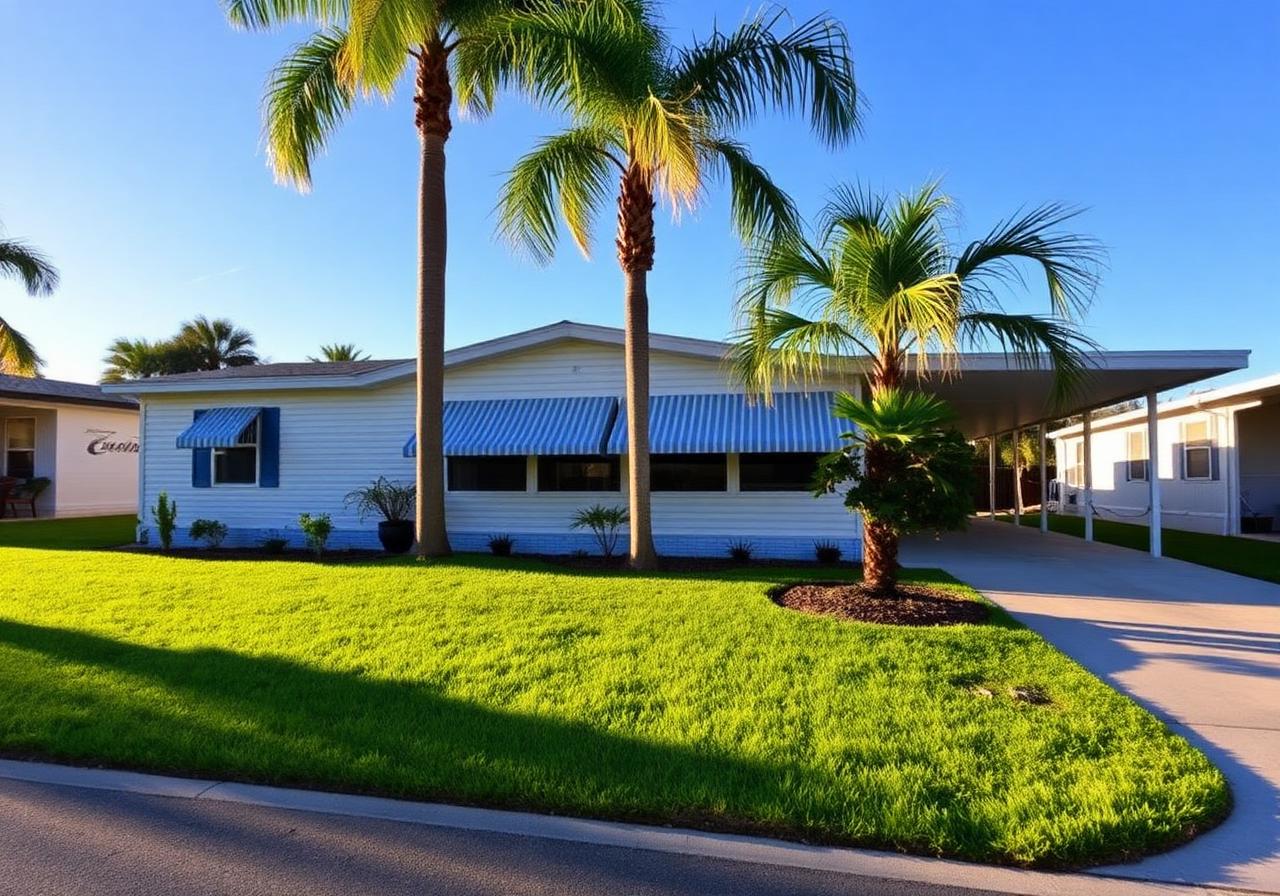
Front exterior
Step back to the curb. Include the full home.
Back exterior & yard
Show patios, decks, sheds, and landscaping.
Amenities
Pool, carport, screened porch, dock, workshop — anything extra.
Step 4 — Record a walkthrough video
A simple phone walkthrough helps serious buyers self-qualify before they ever visit. Keep it natural and steady.
- Hold your phone horizontally (landscape), not vertical.
- Walk slowly — slower than feels natural. Pan smoothly.
- Start at the front door and walk the home as a buyer would.
- Narrate as you go: room names, upgrades, and standout features.
- Keep clips under 60 seconds each — easier to upload and edit.
- Do a separate exterior lap showing the lot, parking, and amenities.
Step 5 — Tell us about the extras
When you send your photos and video, include a short note about anything below that applies. These are the details buyers ask about first.
- Carport or covered parking
- Screened lanai or Florida room
- Shed, workshop, or extra storage
- Updated kitchen or bath (year)
- New roof, A/C, or water heater (year)
- Hurricane shutters or impact windows
- Community pool, clubhouse, or golf
- Waterfront, canal, or lake access
- Pet-friendly community
- Age-restricted (55+) community
- Land owned vs. lot rent (and amount)
- HOA fees and what's included
Ready to send your photos and video?
Use the contact form on our home page or call us directly. We'll take it from there.